Private AI diary · Windows & Linux

A private space to think — with an AI that remembers.

My Thought Safe is a journal you can talk to. The AI runs on your own computer, everything you write is locked in one encrypted file, and the app has no network code at all. Its memory brings back what matters from months of conversation, so your diary never runs out of room.

  • Runs offline
  • AES-256 encrypted
  • No account
  • Free to use
My Thought Safe
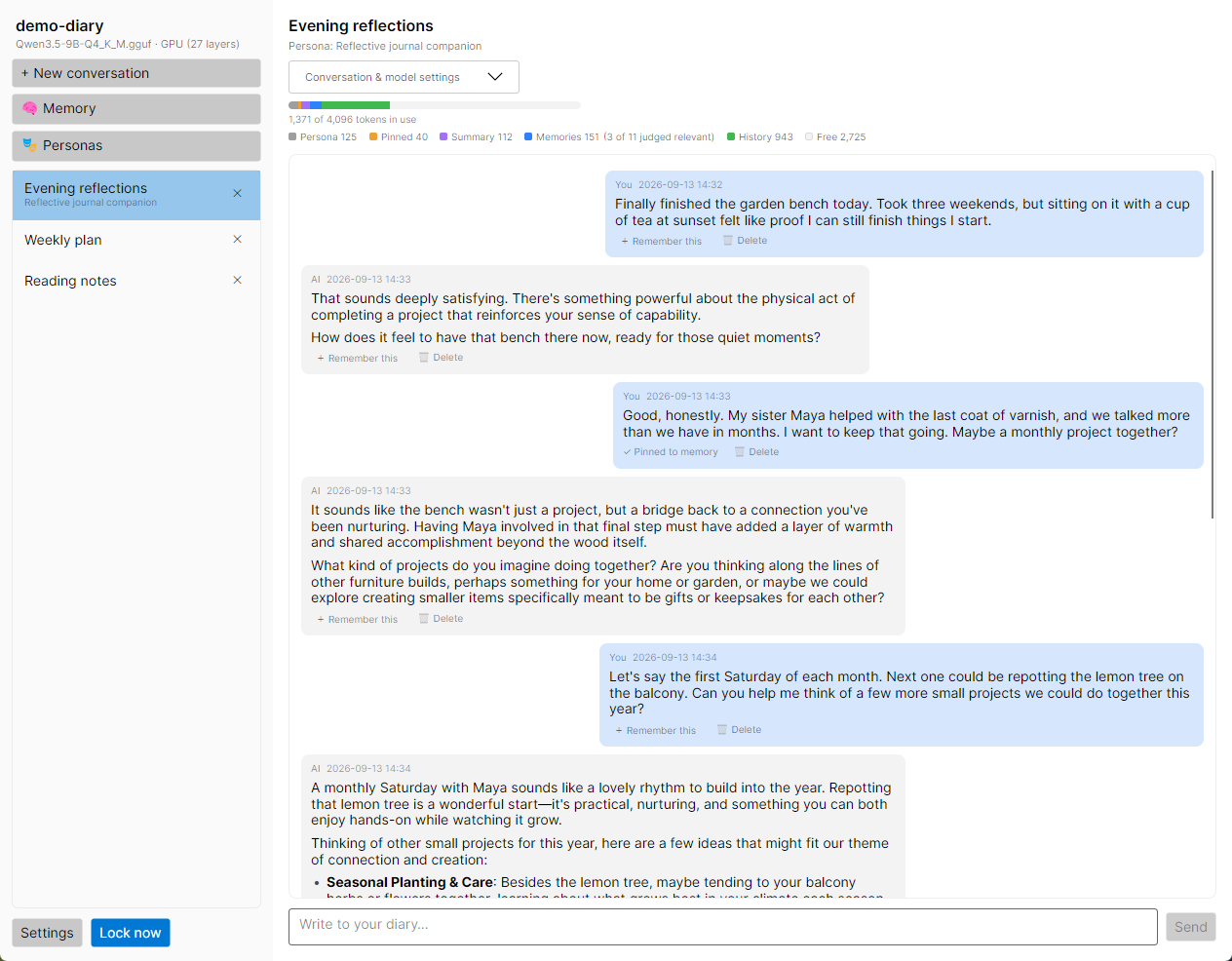
A conversation in My Thought Safe, with the context meter showing how the model’s memory is spent

Quick start

About ten minutes, most of it waiting for a model to download. Full guide →
  1. Install

    Download the installer, portable zip or AppImage. It’s unsigned for now, so on Windows choose More infoRun anyway.

  2. Get a model

    Download a GGUF chat model such as Qwen2.5 7B Instruct Q4_K_M from Hugging Face into a folder of your choice.

  3. Create a vault

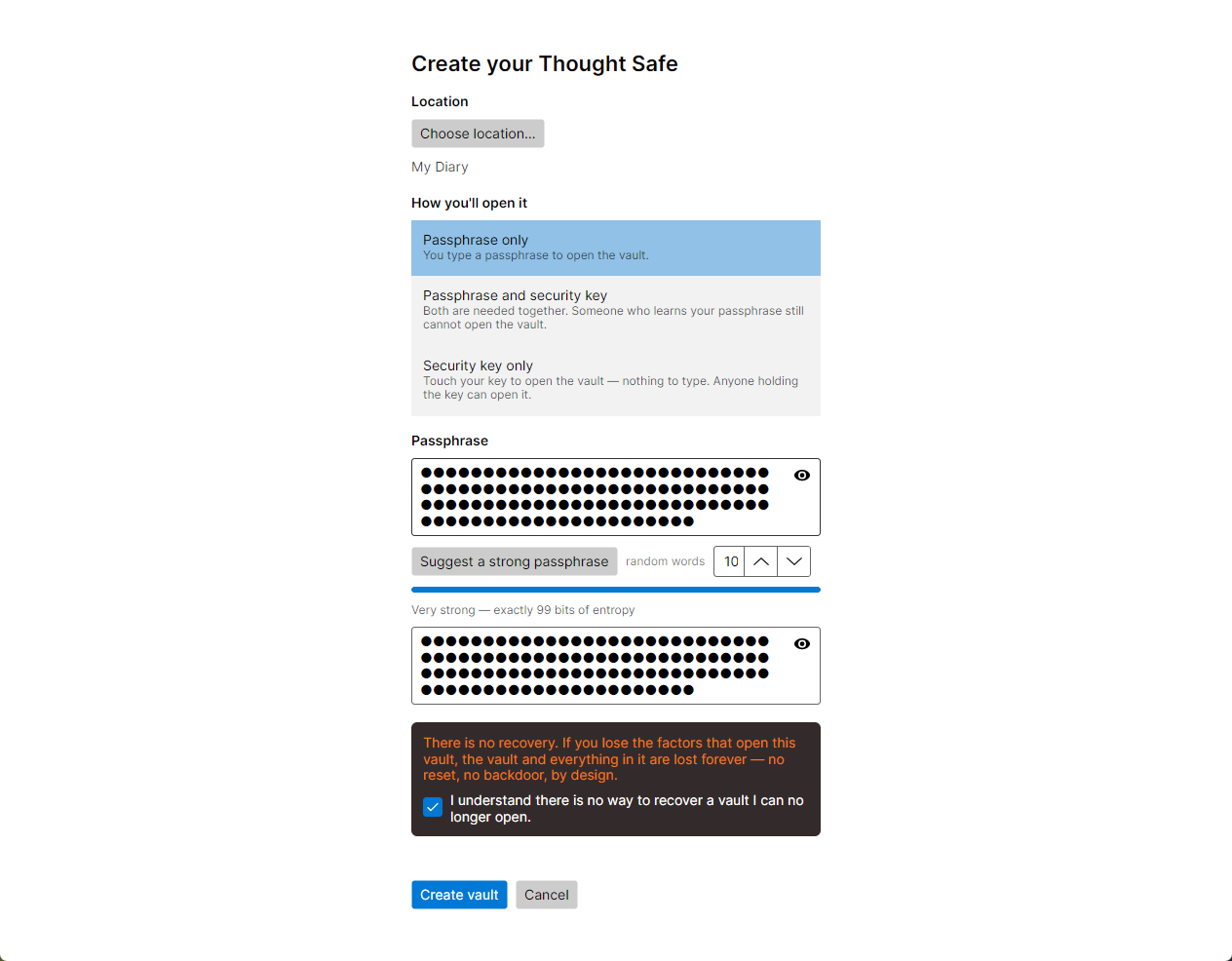
    Choose where the file goes and how it opens: a passphrase, a security key, or both. Write the passphrase down.

  4. Load the model

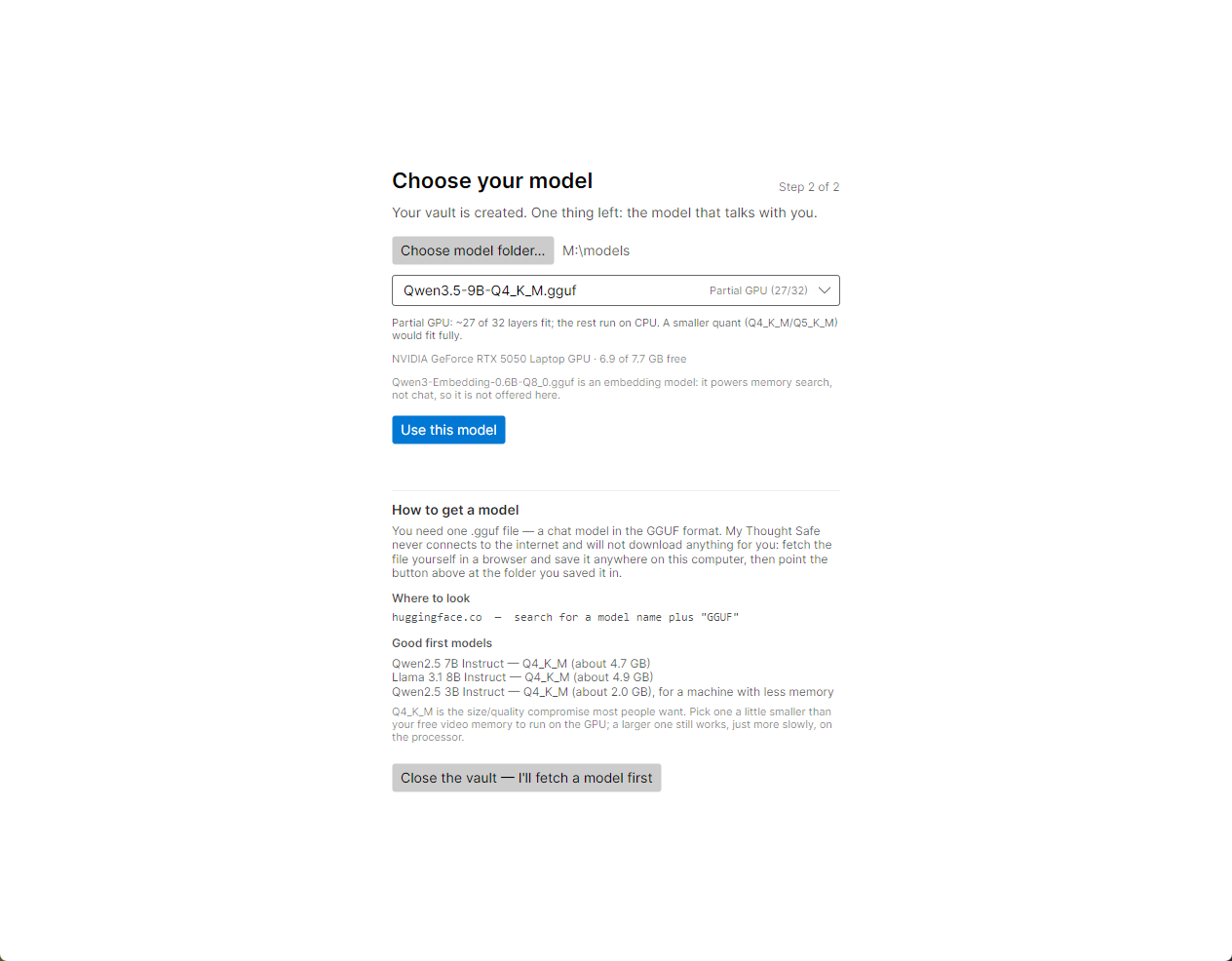
    Point the app at your model folder, pick the model, and choose Use this model.

  5. Start writing

    Choose + New conversation and type. Then go to Settings → Backup and make your first backup.

Why it exists

Your most private thoughts deserve better than someone else’s server

Cloud chatbots are good listeners, but everything you tell one is stored on a stranger’s computer. And local models forget everything once a conversation outgrows them. My Thought Safe fixes both.

Private by design, not by promise

There is no server to trust, because there is no server. The app contains no networking code, and you can block it at the firewall to check.

  • The AI model runs on your own CPU or graphics card
  • Every message, memory and setting is encrypted with AES-256-GCM
  • Unlock with a passphrase, a FIDO2 security key, or both
  • No account, no telemetry, no updater, no “phone home”
  • The whole diary is one file: move it, copy it, keep it on a USB stick

A conversation that never runs out

Every model can only read a fixed amount of text at once. My Thought Safe rebuilds that page before each reply, so you get the benefit of an unlimited context without needing one.

  • Recent messages kept word for word
  • Older discussion folded into a rolling summary
  • Facts you pin are always in view
  • Relevant past entries found and brought back, even from months ago
  • A live meter shows exactly what the AI can see
Simulated infinite context

How it remembers

A 7B model reads maybe 8,000 tokens at a time — a few pages. Your diary will be thousands of pages. Before each reply, the app decides which of them matter right now.

  1. It plans a search. The model reads your message and writes its own search queries for what it needs to know: a name, an event, something you said last spring.
  2. It looks everywhere. Those queries run against saved memories, by meaning or by keyword, and against every message you’ve written. Phrases like “yesterday” or “last month”, or a timestamp you click, go straight to the right entries.
  3. It keeps what’s relevant. The model judges each find, condenses the long ones, and fits the survivors into the page next to your pinned facts, a summary of earlier discussion, and your latest messages.

It isn’t magic. A small model can still miss things, and the meter never hides that. Read the details →

Features

Everything it does

A deliberately focused app: a place to write, an AI to write with, and strong locks around both.

Privacy & security

Zero network

No sockets, no update checks, no analytics, no crash uploads. The model runs locally, and the app works identically with the network unplugged.

Check it yourself

Strong encryption

AES-256-GCM on every record, with keys derived by Argon2id. Titles, personas, memories and settings are encrypted too, and each record is bound to its place so it can’t be moved or altered unnoticed.

Security claims

Passphrase, security key, or both

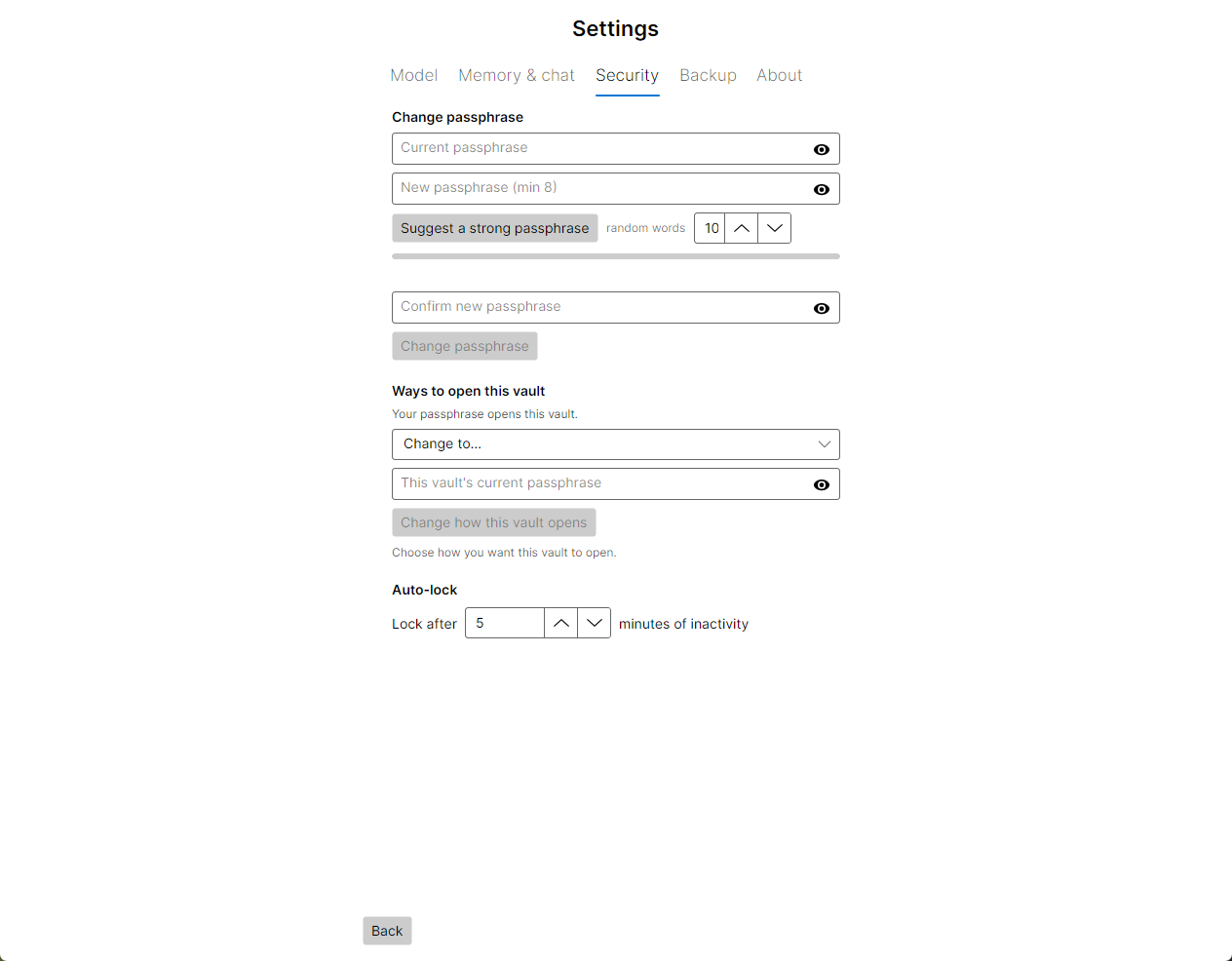
Open a vault with a passphrase, a FIDO2 key such as a YubiKey, or both together. Enroll a backup key or backup passphrase, and change the unlock method later.

Unlock options

Locks itself

The vault locks after a period of inactivity you choose, instantly with Ctrl+L, when its drive is unplugged, and whenever anything unexpected happens.

Locking

Gives nothing away

A failed unlock says only “Did not unlock” — never which factor was wrong. Outside the vault there is no settings file, no recent-files list and no cache.

Privacy tips

Portable, no trace

Run the portable build from a USB drive. Settings, personas and model choices live inside the vault, so the app itself leaves nothing behind on the host.

Portable mode

Memory

Unlimited conversations

Talk for as long as you like. A rolling summary and targeted recall keep a months-long conversation coherent on a model with a small window.

How memory works

Remember this

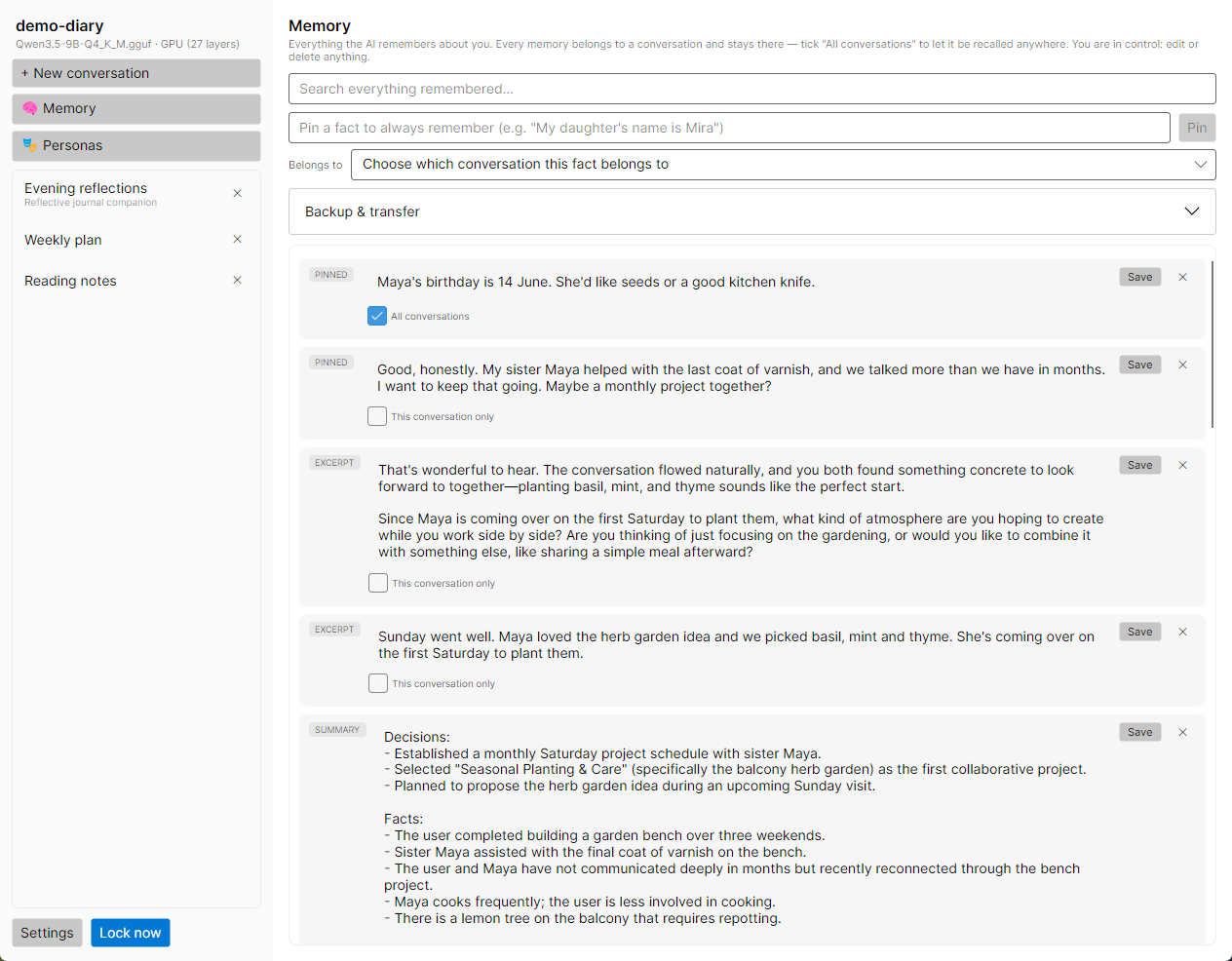
Pin any reply or type a fact — “My daughter’s name is Mira” — and it stays in view for the rest of that conversation.

Managing memories

Learns about you

If you allow it, the AI jots down lasting facts it picks up from your conversations. Every note is visible, and you can edit or delete it.

Notes

Recall by meaning, date or pointer

Ask about “the trip last month” or “the very first thing I asked”, or click an entry’s timestamp to point the AI at exactly that entry.

Referencing entries

Memories stay where they belong

Each memory belongs to its conversation, so a work journal doesn’t leak into a private one. Share a memory across all conversations only when you choose to.

Memory scope

See what it sees

A color-keyed meter under every conversation shows how the model’s window is spent this turn: persona, pinned facts, summary, recalled memories and recent history.

Reading the meter

Conversations & models

Your choice of model

Use any GGUF chat model — Qwen, Llama, Mistral, Gemma and others. The app estimates whether a model fits your graphics card before you load it.

Choosing a model

GPU when you have one

Automatic GPU acceleration through Vulkan, with the rest of the model on the CPU when it doesn’t all fit. A split bar shows how much landed where.

GPU & CPU

Personas

Give each conversation its own character: a patient listener, a blunt coach, a study partner. Save favorites as presets to reuse.

Personas

Per-conversation tuning

Adjust temperature, reply length, context window and GPU layers for one conversation without touching the others.

Conversation settings

A comfortable place to write

Streaming replies with proper formatting, a collapsible view of a reasoning model’s thinking, and answers to a numbered list by just typing “3”.

Chatting

Better recall with an embedding model

Drop a small embedding model into your model folder and memory search works by meaning, not just keywords. It’s detected automatically.

Embedding models

Keeping it safe for years

Verified backups

One click writes an encrypted copy of your vault, then reads it back to prove it opens. A backup is simply another vault.

Backups

Integrity check

Check every encrypted entry for damage. The vault keeps a spare copy of its header, so a damaged header doesn’t take the vault with it.

Checking a vault

Take your memories with you

Export pinned facts and notes to a separately encrypted archive, and import them into another vault or conversation.

Export & import
A look inside

Calm, simple, out of your way

Hardware

Runs on the computer you already have

A graphics card makes replies fast, but it isn’t required. Without one, the model runs on your processor: slower, and just as private.

Windows 10 and 11 (64-bit) and modern x86-64 Linux. No macOS build yet.

Full requirements
NVIDIA GPUsAccelerated via Vulkan Tested
AMD GPUsAccelerated via Vulkan Untested
Intel GPUsAccelerated via Vulkan Untested
Any x86-64 CPUAlways works as the fallback

AMD and Intel cards run through the same bundled Vulkan engine as NVIDIA, but nobody has confirmed them on real hardware yet. Expect them to work; if one isn’t picked up, the model runs on the processor instead.

In plain terms

What you should know before you trust it

A privacy tool that oversells itself isn’t one. These are the trade-offs.

No recovery, ever

Lose your passphrase or key and the vault is gone for good. No reset, no backdoor, no support ticket. Keep a backup key or a written passphrase somewhere safe.

Not audited, not open source

No outside party has reviewed the code, and the source isn’t published. What you can do is take the app itself apart. The license explicitly allows it, and the security page lists checks anyone can run.

Can’t protect a compromised PC

Encryption protects the file at rest. It can’t stop malware, a keylogger or someone reading over your shoulder while the vault is open.

Read every claim and every known limit →

Start your thought safe

Free, offline, and yours alone.